  1. Blog
  2. Article

Canonical
3 August 2017

Upgrading your Ubuntu-on-Windows install to the app version


Our team and Microsoft recently released Ubuntu as a Windows app store application! If you toyed with the “bash on Ubuntu on Windows” version before and would like to try the latest and greatest, read on!
Saving your data

If your “bash on ubuntu on windows” environment has some data you’d like to keep, make sure you back it up now. The uninstall process will nuke everything.

Uninstall the old way

This is relatively simple. Opening a command line (cmd.exe) terminal and typing

lxrun /uninstall

will destroy your previous environment.

Installing the new way

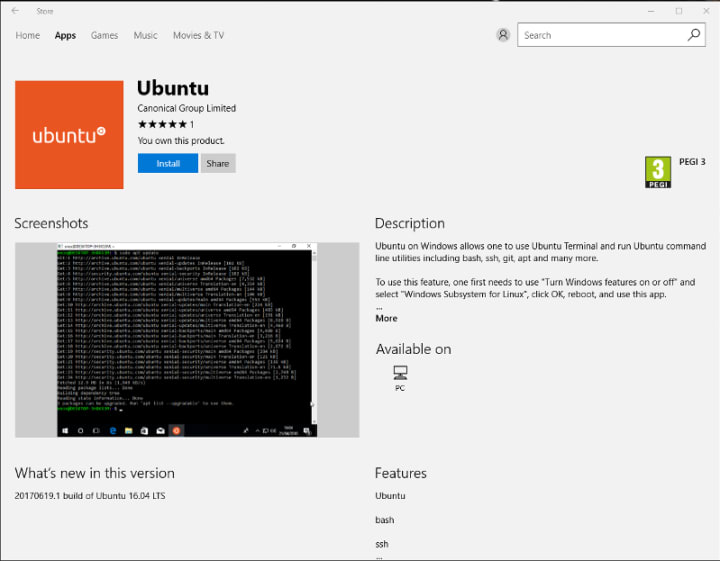
To find the app in the Microsoft store, just type “Ubuntu” in the search bar. Click install. Voilà!


Related posts

Network disaggregation in telecommunication transport networks

Telecommunications networks have traditionally been built from tightly integrated systems. A router vendor supplies the forwarding hardware, network operating system (NOS),...

Bring Zenoh to ROS 2 with snaps

ROS 2 gives robotics developers the freedom to choose the middleware that fits their system. As a communication protocol for ROS, Zenoh has gained strong traction. It delivers...

Canonical and CIX Technology announce strategic collaboration for edge innovation

Canonical, the publisher of Ubuntu, and CIX Technology, a semiconductor innovator, today announced a strategic collaboration to deliver an optimized Ubuntu experience on CIX...

What the Cyber Resilience Act (CRA) means for Android™ development

The CRA starts now: 24 hours to respond Picture this: a critical Android vulnerability is reportedly being exploited. Based on initial analysis, the compromised component is...